> ## Documentation Index
> Fetch the complete documentation index at: https://docs.ghostable.dev/llms.txt
> Use this file to discover all available pages before exploring further.
# The Basics
> Integrate Ghostable into automated deployments.
Ghostable CLI 1.x is legacy. Prefer the current [Desktop
docs](/desktop/v1/getting-started/overview) or [CLI 2.x
docs](/cli/v2/getting-started/installation) for new work.
## Obtain a token
To load environment variables during automated deployments, Ghostable provides CLI tokens that
authenticate your CI/CD pipelines (GitHub Actions, GitLab CI, Laravel Cloud, etc.) with your
Ghostable environment.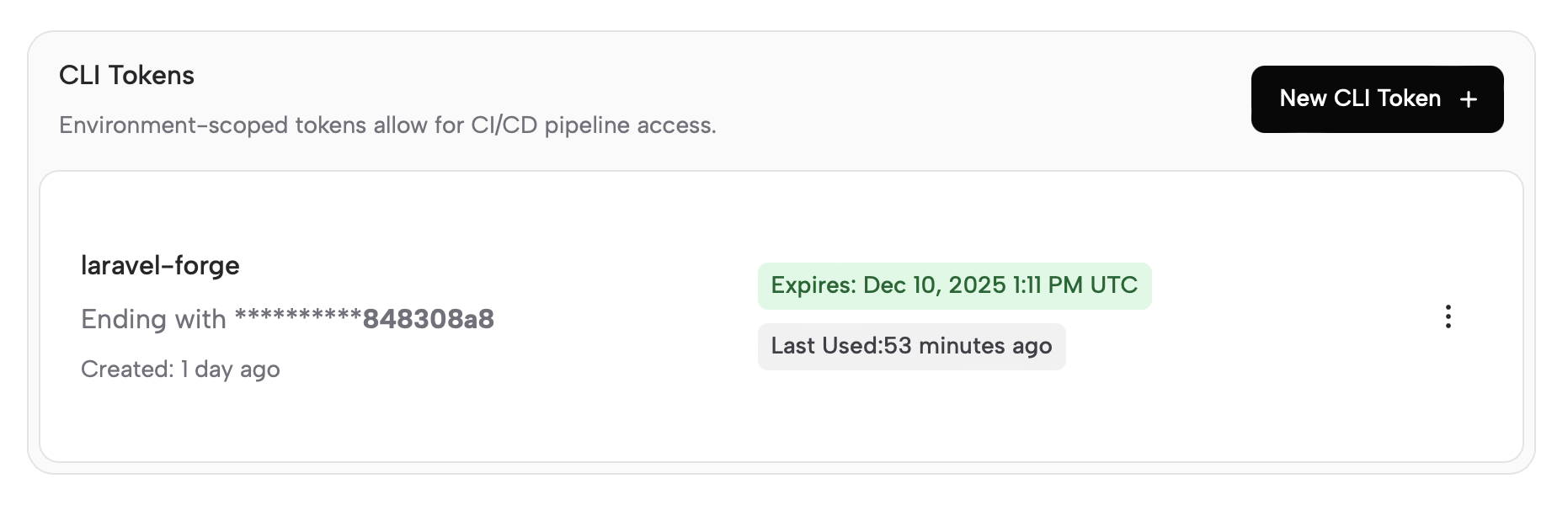 1. In the Ghostable dashboard, navigate to the environment you wish to deploy.
2. Go to **Settings** tab, then **Access** on my sidebar and create a new **CLI token**. Tokens
expire after 7, 30, or 60 days.
3. **Copy the token** when it is shown—you will not be able to view it again.
## Provider guides
After creating your token, follow one of the provider guides to integrate Ghostable into your
workflow:
* [Laravel Forge](./laravel-forge)
* [Laravel Cloud](./laravel-cloud)
* [Laravel Vapor](./laravel-vapor)
OpenClaw uses Ghostable’s generic env-file deploy flow. See the
[OpenClaw integration guide](https://ghostable.dev/integrations/openclaw) for the Docker and
host-runtime setup.
1. In the Ghostable dashboard, navigate to the environment you wish to deploy.
2. Go to **Settings** tab, then **Access** on my sidebar and create a new **CLI token**. Tokens
expire after 7, 30, or 60 days.
3. **Copy the token** when it is shown—you will not be able to view it again.
## Provider guides
After creating your token, follow one of the provider guides to integrate Ghostable into your
workflow:
* [Laravel Forge](./laravel-forge)
* [Laravel Cloud](./laravel-cloud)
* [Laravel Vapor](./laravel-vapor)
OpenClaw uses Ghostable’s generic env-file deploy flow. See the
[OpenClaw integration guide](https://ghostable.dev/integrations/openclaw) for the Docker and
host-runtime setup.