> ## Documentation Index
> Fetch the complete documentation index at: https://docs.ghostable.dev/llms.txt
> Use this file to discover all available pages before exploring further.
# Organizations
> Organizations are the top-level boundary for members, projects, permissions, and billing.
Review the shared Ghostable model before diving into a specific client workflow.
## What an Organization Contains
An organization is the highest-level workspace in Ghostable. It contains:
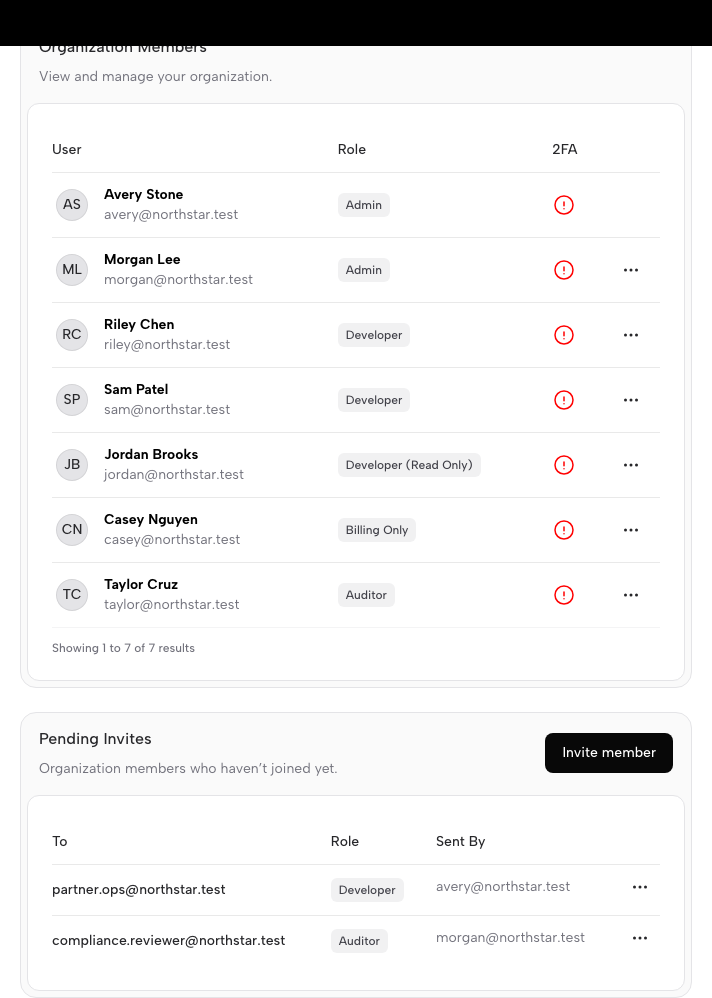
* members and invitations,
* projects,
* environment access policies,
* activity records,
* billing and ownership controls managed in the web app.
Users can belong to more than one organization and switch between them as needed.
{/* ghostable:screenshot-output fundamentals-organizations-members-and-invites:start */}
 ## How Clients Surface Organizations
* **Desktop** uses the launcher to switch organizations, create new ones, and open the organization
manager window.
* **CLI** lets you list the organizations available to your current session and switch the active
context.
* **Web** handles billing, ownership, and other account-administration details.
## Why Organizations Matter
Organizations are the boundary where collaboration begins. Every Ghostable project and environment
belongs to one organization, and access decisions flow from that relationship.
## Continue with Your Client
Switch organizations, manage members, and open projects from the macOS app.
Review the CLI install and login flow, including organization context switching.
## How Clients Surface Organizations
* **Desktop** uses the launcher to switch organizations, create new ones, and open the organization
manager window.
* **CLI** lets you list the organizations available to your current session and switch the active
context.
* **Web** handles billing, ownership, and other account-administration details.
## Why Organizations Matter
Organizations are the boundary where collaboration begins. Every Ghostable project and environment
belongs to one organization, and access decisions flow from that relationship.
## Continue with Your Client
Switch organizations, manage members, and open projects from the macOS app.
Review the CLI install and login flow, including organization context switching.