

Controls Matrix
API Endpoints for Evidence Collection
GET /api/v2/organizations/{organization}/permission-matrixGET /api/v2/organizations/{organization}/audit-webhooksGET /api/v2/organizations/{organization}/audit-webhooks/metrics?window=24h|7d|30dPOST /api/v2/organizations/{organization}/audit-webhooksPOST /api/v2/organizations/{organization}/audit-webhooks/{auditWebhook}/rotate-secretPOST /api/v2/organizations/{organization}/audit-webhooks/{auditWebhook}/disablePOST /api/v2/organizations/{organization}/audit-webhooks/{auditWebhook}/testGET /api/v2/organizations/{organization}/audit-webhooks/metrics
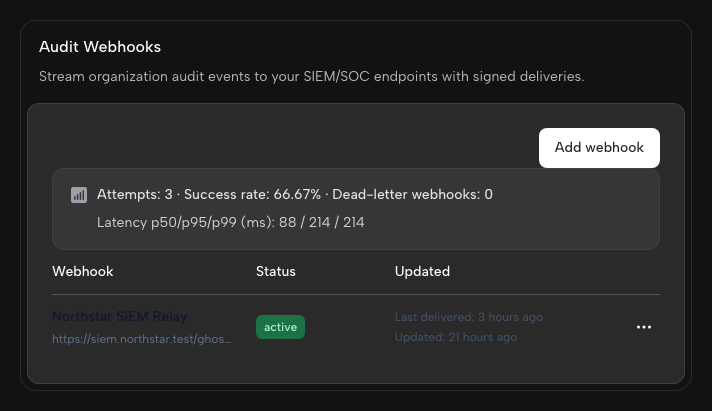
Dashboard UI: Audit Webhooks
Audit webhooks can be managed in the Ghostable dashboard:- Open your organization in Ghostable.
- Go to Settings.
- Open the Notifications tab.
- Use the Audit Webhooks section.
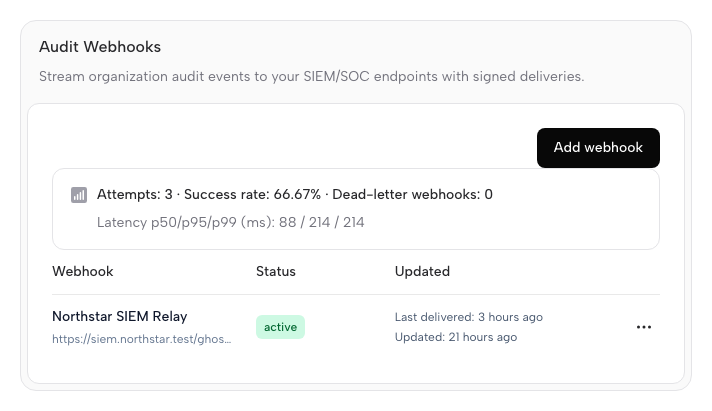
What You Can Do in the UI
- Create a webhook with:
- a friendly name (for example,
Security SIEM) - an endpoint URL (
https://...)
- a friendly name (for example,
- Copy the signing secret shown once at creation/rotation time.
- Review delivery health fields:
- status (
active,disabled,dead_letter) - consecutive failures
- last delivery/error details
- status (
- Open the delivery metrics popover for a webhook to see attempt rates and latency buckets.
- Use the action dropdown per webhook row:
- Send test event
- Rotate signing secret
- Disable webhook
- Review delivery metrics:
- selected time window (
24h,7d,30d) - attempts, successes, failures, and success rate
- p50/p95/p99 latency + latency bucket distribution
- selected time window (
Only organization admins can create or manage audit webhooks in the dashboard UI.
API Contract Examples
Version conflict payload (409)
Ghostable normalizes optimistic lock conflicts to a deterministic API shape:
Audit webhook metrics payload (200)
Webhook Signature Verification
Ghostable audit webhooks include the following headers:X-Ghostable-Timestamp: unix timestamp in seconds.X-Ghostable-Signature: HMAC in the formatsha256=<hex_digest>.
- Read the raw request body exactly as received.
- Build the signed message as
<timestamp>.<raw_body>. - Compute
HMAC-SHA256(message, signing_secret). - Compare the result to
X-Ghostable-Signatureusing constant-time comparison. - Reject the request if
abs(now - timestamp) > 300seconds.
id for at least 5-10 minutes and reject
duplicates.
Notes
push_force_overwriteactivity events are emitted when optimistic locking is intentionally bypassed.- Teams with strict change control should require
--conflict-mode strictin CI workflows.